Getting started
Set up your household
Tell the app who it's planning for so every readiness number is accurate.
Last updated July 4, 2026
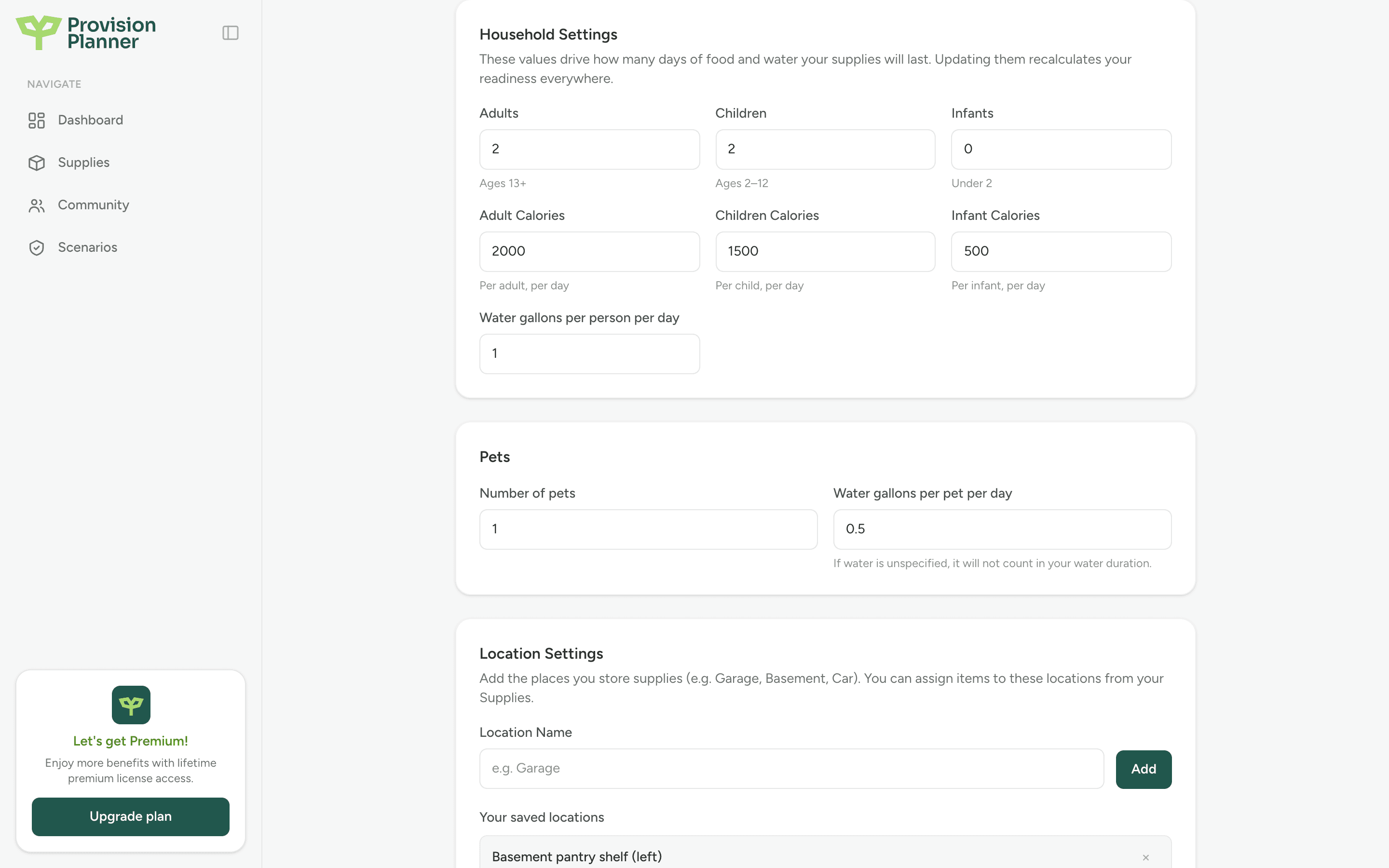
Your household settings are the foundation of Provision Planner. They tell the app how many people (and pets) your supplies need to cover, which drives how many days of food and water you really have.
What you can set
- Adults, children, and infants. Adults are 13 and up, children are 2 to 12, infants are under 2.
- Daily calories per person. Sensible defaults are filled in for each age group. Adjust them if your household has bigger or smaller appetites.
- Water per person per day. Defaults to 1 gallon, a widely used planning baseline for drinking and basic hygiene.
- Pets. Add how many pets you have and how much water each needs per day, so they're counted in your water duration.
Update your household
Open Settings
On the web, click your name in the top right, then Settings. On mobile, open the Settings tab.
Edit Household Settings
Change the number of people, calories, or water values.
Save
Your readiness numbers update everywhere as soon as you save. Nothing else to do.
Note
Changing your household never changes your supplies. It only changes how far those supplies stretch. If you add a new family member, expect your "days of food" to go down, because the same food now feeds more people.
Your ZIP code
Adding your ZIP code in Personal Information helps the Community section find emergency resources near you. It's optional and you can remove it anytime.