Supplies
Storage locations
Label where each item lives so you can find it fast when it matters.
Last updated July 4, 2026
Knowing you own 40 gallons of water is good. Knowing 30 are in the basement and 10 are in the garage is better, especially at 2 a.m. with the power out.
Create your locations
Open Settings
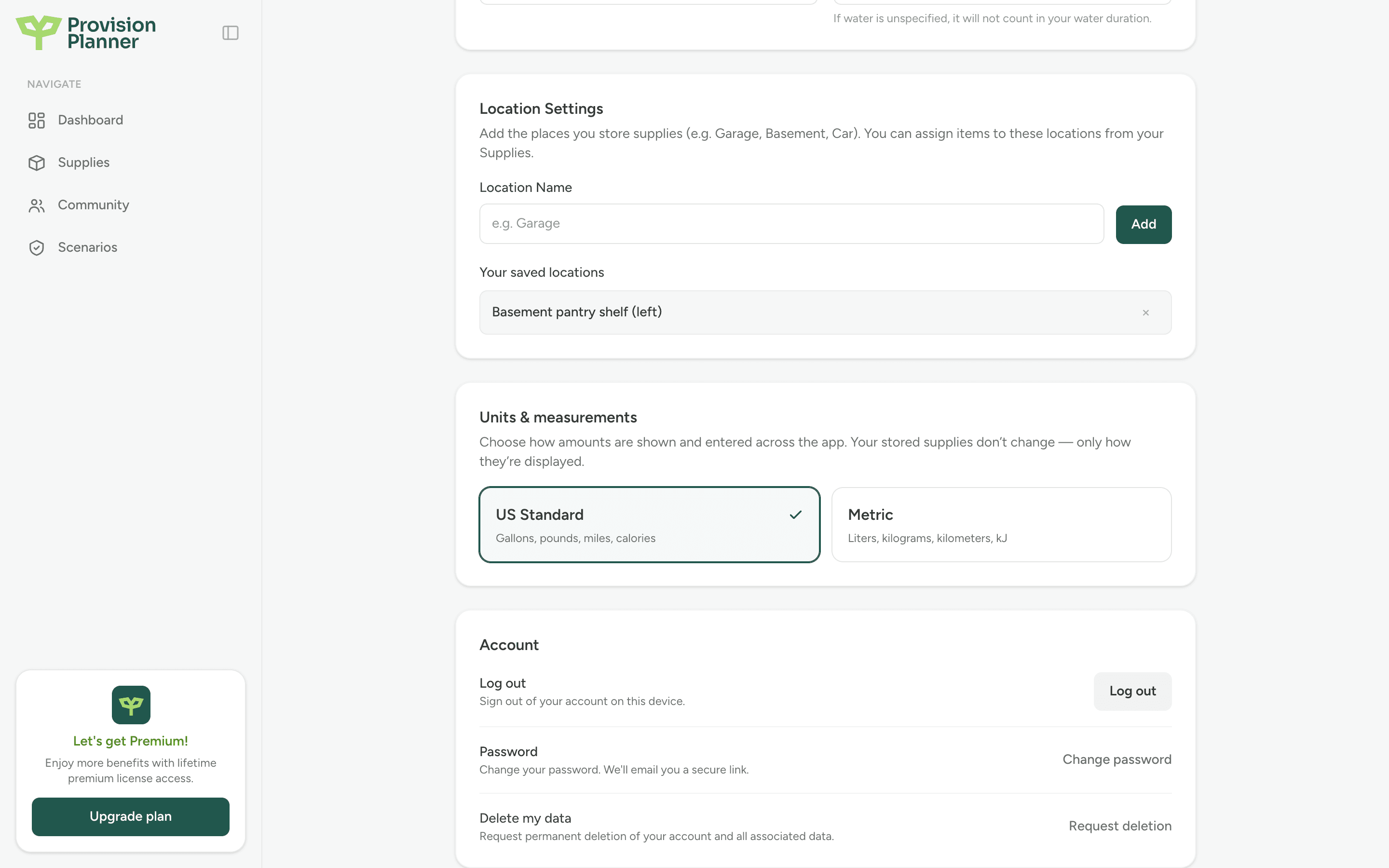
Go to Settings and scroll to Location Settings.
Add each place you store supplies
Type a name like Garage, Basement, Car, or Hall closet and click Add. Make them specific enough to be useful; "Basement pantry shelf (left)" beats "Basement."
Assign items to locations
When you add or edit any supply item, pick one of your saved locations in the Location field. In your Supplies tables you can show the location column and sort by it to see everything in one place at a glance.
Tip
Spread critical supplies across locations. If your whole stock is in the basement and the basement floods, you have nothing. A little water, food, and first aid in the car and at the office goes a long way.
Renaming and removing
Manage your saved locations anytime in Settings. Removing a location doesn't delete the items stored there; they just lose their location label until you assign a new one.